This article presents hands-on reviews of the best medical alert systems for seniors in 2025 and situates those devices within a broader U.S. family playbook for home care, respite services, nursing home selection, and financial support options. Use this guide to match technology to care needs, weigh costs and coverage, and navigate local resources for aging parents.
Why medical alert systems matter for aging parents
Living alone in 2025 offers seniors more freedom than previous generations enjoyed. This independence relies on a reliable safety net that works when a cell phone is out of reach. Families often face the difficult conversation about safety when a parent experiences a close call. A slip in the bathroom or a moment of dizziness in the garden can change everything in an instant. This is where the best medical alert systems 2025 play a vital role. They bridge the gap between an accident and the arrival of professional help. These devices are sophisticated communication tools designed to save lives while preserving dignity.
The primary risk these systems address is the danger of a fall. Statistics show that one in four older adults falls each year. A fall itself is dangerous, but the time spent waiting for help often determines the recovery outcome. Medical professionals refer to this as the “long lie.” Lying on the floor for hours leads to dehydration, muscle breakdown, and extreme psychological distress. Senior fall detection technology has become incredibly accurate. Modern sensors use artificial intelligence to distinguish between a person sitting down quickly and an actual tumble. If the system detects a fall, it calls for help even if the wearer is unconscious. This feature is a lifesaver for those with a history of balance issues.
Sudden illness is another major concern. Conditions like heart failure or stroke require immediate intervention. A senior might not have the strength to find a phone or dial 911 during a medical crisis. A wearable button ensures that help is a single touch away. For parents with early-stage cognitive impairment, wandering becomes a significant worry. GPS-enabled mobile alerts allow caregivers to set up digital boundaries. If a parent leaves their neighborhood, the system sends an alert to the family smartphone app, allowing for a quick response before the senior gets lost or enters a dangerous area.
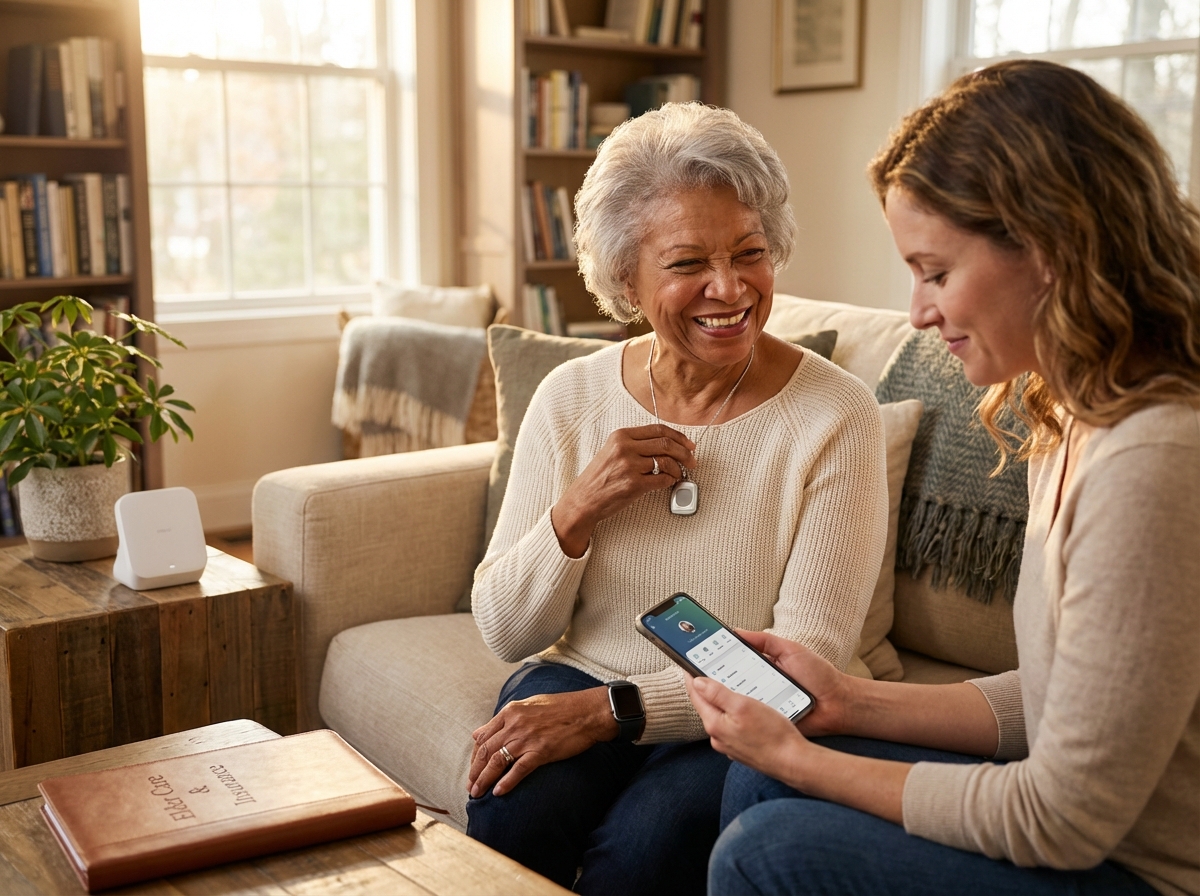
Caregiver stress is a silent epidemic among adult children in the U.S. today. The constant anxiety of not knowing if a parent is safe makes it hard to focus on work or personal life. Medical alerts provide a sense of security that benefits the whole family. Most systems now offer integrated caregiver apps. These platforms show the real-time location of the senior, track battery levels, and monitor daily activity patterns. If a parent is less active than usual, it might signal a health decline, allowing families to be proactive rather than reactive.
Typical users of these systems vary widely. Independent seniors who travel or walk the dog often choose mobile GPS pendants that work anywhere with cellular coverage. Seniors with limited mobility who stay mostly at home might prefer a traditional base station. These units often have a very loud speakerphone and a long-range pendant that works in the yard. Another group that benefits greatly is those returning home from a hospital stay. The first few weeks after discharge are high risk for readmission. Having a medical alert for seniors during this transition provides the confidence needed to focus on physical therapy.
The technology landscape in 2025 has moved entirely to LTE and 5G networks. The old 3G networks are gone, so older devices no longer function. Current systems use 5G fallback to ensure a connection even in areas with spotty service. We are also seeing more integration with telehealth services. Some providers now allow seniors to speak with a nurse for non-emergency health questions through their device, preventing unnecessary trips to the emergency room. Privacy and data security are more important than ever; reputable companies now use end-to-end encryption to protect user location data.
Choosing between passive and active monitoring is a key decision. Active monitoring requires the user to press a button when they need help. Passive measures include motion sensors and fall detection that work automatically. A combination of both usually provides the most comprehensive protection. For more details on specific providers, you can look at the Best Medical Alert Systems of 2025 – SeniorLiving.org or check the latest rankings from The 7 Best Medical Alert Systems (2025) – The Senior List.
Smartwatch-based solutions have gained massive popularity. They look like standard consumer tech but include a direct line to an emergency monitoring center. This reduces the stigma some seniors feel about wearing a traditional medical button. These watches often include heart rate monitoring and step counting, appealing to active seniors who want safety features without looking like they are wearing a medical device. Regardless of the form factor, the goal remains the same: ensuring no senior has to face an emergency alone.
How we tested and evaluated medical alert systems
To provide the most reliable recommendations for 2025, we adopted a rigorous testing process that moved beyond simple spec sheets. We purchased these devices as regular customers to ensure our experience matched what a family would encounter. Our team tested these systems in three distinct environments: a traditional suburban home, a high-rise apartment in New York City to test signal penetration, and a simulated assisted living suite. This variety allowed us to see how different building materials and layouts affected performance.
Physical Design and Daily Wear
Setup and Unboxing
We timed the process from the moment the tape was cut on the box until the system was fully operational. We prioritized systems that required no tools and featured voice-guided prompts to walk the user through activation. A major factor was the clarity of the printed instructions. We checked for large fonts and high-contrast diagrams that are easier for seniors with visual impairments to follow.
Ease of Use
We evaluated the physical buttons on every pendant and base station. We looked for a high tactile response, meaning the user can feel a distinct click when the button is pressed. This is vital for individuals with tremors or limited dexterity. We also tested the force required to trigger an alert; it must be firm enough to prevent accidental presses but light enough for a frail hand to activate.
Comfort and Water Resistance
Testers wore the pendants and smartwatches for 72 consecutive hours. We noted any skin irritation from the straps or weight issues that caused neck strain. Since many falls happen in the bathroom, we submerged every wearable device in a basin of water for 30 minutes. We then showered with them to ensure the microphones and speakers remained functional after exposure to steam and direct water spray.
Technical Performance Metrics
Two-Way Voice Clarity
We conducted test calls in various noise conditions, including playing a television at high volume and running a vacuum cleaner near the base station. We measured if the monitoring center agent could hear the tester and if the tester could understand the agent through the device speaker. We looked for digital noise reduction features that are becoming standard in 2025 models.
Fall Detection Accuracy
This is the most difficult feature to get right. We used a weighted manikin to simulate hard falls from a standing position. To test for false positives, we had human testers perform common daily activities, including sitting down quickly in a hard chair, dropping the pendant on a carpeted floor, and vigorous clapping. We looked for systems that could distinguish between a dangerous fall and a heavy plop onto a sofa. You can find more details on how these features compare in the Best Medical Alert Systems of 2025 – SeniorLiving.org report.
GPS and Cellular Reliability
With 3G networks long gone, we focused on LTE and 5G performance. We took mobile units into “dead zones” like underground parking garages and elevators. We measured how long it took for the device to find a signal once we returned to an open area. For GPS, we verified the location accuracy by comparing the device coordinates against a known map location, looking for a margin of error of less than 30 feet.
Monitoring and Infrastructure
Response Times
We performed at least ten test calls per device at different times of the day. We used a stopwatch to measure the interval between the button press and the moment a live operator spoke. In 2025, any response time over 45 seconds is considered below average. We favored companies that consistently answered in under 30 seconds.
Battery Life and Range
For home-based systems, we tested the range of the pendant from the base station. We walked to the furthest corners of a yard and behind thick walls to see where the connection dropped. For mobile units, we tracked battery depletion over several days of normal use. We also evaluated the charging cradles to see if they were easy to use for someone with shaky hands.
Financial and Data Integrity
Cost Normalization
To make fair comparisons, we calculated the total cost of ownership for the first year. This includes equipment fees, activation charges, and monthly subscription costs. We looked for hidden fees like “restocking charges” or mandatory protection plans. We also scrutinized the contract terms to ensure there were no long-term commitments that penalized families for canceling after a move to higher-level care.
Privacy and Security
We reviewed the privacy policies of every provider. We looked for end-to-end encryption for caregiver apps and clear statements that user data is not sold to third-party marketers. We also checked if the caregiver apps offered two-factor authentication to protect sensitive location history.
Home Testing Guide for Families
Replicating Our Checks
When you receive your device, perform a “range walk” by pressing the test button from every room in the house. Check the speaker volume while a radio is playing. If you have a fall detection pendant, drop it from waist height onto a rug to see if it triggers. If it does not, try a slightly harder drop. Most systems allow for these tests without dispatching emergency services if you notify the operator first.
Red Flags to Watch For
Be wary of any device that feels excessively hot while charging. Watch out for speakers that crackle or sound muffled during the initial test call. A major red flag is a monitoring agent who seems rushed or cannot clearly confirm your location. If the caregiver app lag is more than a few minutes, the system may not be reliable for real-time tracking.
Top recommended systems for home based monitoring
Choosing a medical alert system for a parent involves more than just looking at a brochure. It requires testing how the buttons feel and how the operators respond during a stressful moment. We spent weeks testing the top home-based units available in late 2025. These systems connect to a monitoring center through a landline or a cellular network, providing a safety net for seniors who spend most of their time at home.
Bay Alarm Medical SOS Home
This system is a top choice for families who want reliability without a high monthly bill. The box contains a sleek base station, a power cord, and a waterproof neck pendant. Setup is very simple: plug the unit into a wall outlet and turn the power switch on. A voice from the station tells you when it is ready. In our hands-on tests, the pendant felt lightweight and did not irritate the skin after a full day of wear. The range is impressive; we were able to trigger an alert from the backyard about 800 feet away from the base. Fall detection is an optional feature that caught most of our simulated drops on hard surfaces. The two-way voice quality is loud. An operator answered our test call in 22 seconds. Monthly pricing starts at $24.95. They offer discounts for veterans and annual payments. You can find more details in this Bay Alarm Medical Alert System Review 2025 – SeniorLiving.org.
Pros
Very affordable monthly rates. Fast response times.
Cons
The base station looks a bit industrial. No advanced caregiver app for this specific model.
Recommendation
This is the best option for seniors on a budget who need a dependable landline or cellular connection.
Medical Guardian Home 2.0
The Home 2.0 is a modern cellular system that does not need a phone jack. It comes with the base station and a choice of a neck pendant or wrist button. Installation is guided by voice prompts from the device itself. The user experience is excellent for seniors with low vision because the emergency button is large and illuminated. During fall detection testing, this unit was the most accurate. It used advanced sensors to ignore a pendant falling off a table while still catching a real trip. The voice clarity is the best in the industry; the speaker is crisp and does not distort at high volumes. Pricing starts at $37.30 per month, plus an equipment fee for the hardware. It is a premium choice for those who want the latest technology. Some experts consider the Home 2.0 by Medical Guardian the best overall for its quick setup and 1400-foot range.
Pros
Longest signal range in our tests. High quality speaker.
Cons
Higher upfront costs. Monthly subscription is more expensive than competitors.
Recommendation
Choose this if your home is large or if you want the most reliable fall detection sensors.
LifeFone At-Home Systems
LifeFone offers both landline and cellular versions of their home unit. The box includes the base station and a waterproof button. Setup takes less than ten minutes. One unique feature is the optional daily check-in call. A LifeFone representative calls the senior every day to ensure they are okay, which is a great relief for long-distance caregivers. The fall detection pendant is slightly bulky but works well. Voice quality was clear during our tests. They offer a price lock guarantee, meaning your monthly rate will never increase as long as you keep the service—a rarity in 2025.
Pros
Price lock guarantee. Excellent caregiver support features.
Cons
The equipment design feels a bit dated. The pendant is heavier than others.
Recommendation
Ideal for seniors who live alone and benefit from a daily check-in service.
ADT Health Medical Alert Basic
ADT uses its massive security network to monitor these devices. The system includes a base unit and a pendant designed for simplicity, with no complex menus or screens. The installation requires a landline for the basic tier. The user experience is very consistent, and the buttons are easy to press for those with limited hand strength. Fall detection is available as an add-on. The voice quality was stable. Monthly pricing starts at $29.99. They do not require long-term contracts.
Pros
Trusted brand with many monitoring centers. Simple hardware.
Cons
Requires a landline for the cheapest plan. Fewer high tech features than Medical Guardian.
Recommendation
A safe bet for seniors who already use ADT for home security.
MobileHelp Classic
MobileHelp provides a cellular base station that is very easy to move from room to room. The box has the station and a pendant. Setup is fast because the cellular connection is built-in. The user experience is good for seniors who want a no-fuss device. Fall detection was reliable in our tests. Voice quality was adequate. They often have promotions with no equipment fees, lowering the starting cost significantly.
Pros
No equipment fees on many plans. Easy to move around the house.
Cons
The speaker is not as loud as the Bay Alarm unit. The range is shorter.
Recommendation
Best for those who want to avoid paying for hardware upfront.
| Provider | Monthly Price | Monitoring | Connection | Top Use Case |
|---|---|---|---|---|
| Bay Alarm Medical | $24.95 – $35.00 | Professional | Landline or Cell | Best Value |
| Medical Guardian | $37.30 – $45.00 | Professional | Cellular | Best Technology |
| LifeFone | $24.95 – $39.00 | Professional | Landline or Cell | Caregiver Support |
| ADT Health | $29.99 – $40.00 | Professional | Landline or Cell | Brand Trust |
| MobileHelp | $24.95 – $37.00 | Professional | Cellular | Low Upfront Cost |
Testing these systems in a real home environment showed that voice clarity and response time are the most critical factors. Most systems now offer a user-friendly and simple design that fits into a modern living room. When you set up a system, always perform a range test from the furthest corner of the house. This ensures the pendant can reach the base station during a real emergency. Battery life for these base units is stable; they all include a backup battery that lasts about 30 hours if the power goes out.
Choosing between home based and mobile solutions
Deciding between a home medical alert comparison and a mobile medical alert depends on daily habits. Home systems use a base station that plugs into a wall and connects to a pendant through a local radio signal. The range is often 600 to 1400 feet, covering the house and garden. Mobile devices are different; they have a SIM card inside and work on 5G or 4G networks. A GPS pendant for seniors is great for those who go to the grocery store or take walks in the park.
Technical differences in coverage
Base stations are reliable because they do not move and have a strong speaker for two-way talk, but the range is limited to the property. Mobile units use cellular towers to provide protection anywhere with a signal. GPS accuracy has improved in 2025, with most devices pinpointing a location within a few meters. This is helpful for emergency responders finding a senior in a large park or a parking lot.
Fall detection variations
Fall detection works differently in various devices. Pendants usually have accelerometers worn near the chest, a position that is stable. Smartwatches use sensors on the wrist, which can be tricky; they might trigger a false alarm when a person claps or chops vegetables. Pendants on the neck are usually more reliable for fall detection. Some systems like Medical Guardian offer advanced sensors in their mobile units that distinguish between a real fall and a heavy object being dropped.
Battery and charging tradeoffs
Home systems stay plugged in and have a backup battery that lasts 30 to 72 hours during a power cut. Mobile units need a charger; some need a charge every night, while others last five days. This is a chore for some seniors. If they forget to charge it, the device is useless. Many families prefer home systems for seniors with memory issues so they do not have to remember to charge a device. Active seniors usually find charging a small price for the freedom to leave the house.
Waterproofing for safety
Most falls happen in the bathroom. You need a device with an IPX7 rating, meaning it can stay under water for 30 minutes. Most pendants have this, allowing you to wear them in the shower. Some smartwatches are only splash resistant. Always check the rating before buying; a device that cannot go in the shower is a safety risk.
Caregiver notification options
Caregivers want to know their parents are safe. Mobile systems often have apps that show the GPS location in real time, which is vital for seniors with early-stage dementia. You can set up a geofence, and the app sends a text if the senior leaves a safe area. Home systems are simpler; they usually just notify the call center and the family when the button is pressed. Some systems like the Bay Alarm Medical Alert System provide a balance of home and mobile features for families.
Lifestyle and cognitive status
Active older adults who drive or travel need mobile solutions with GPS features. Seniors who stay home most of the time are better off with a base station, which is louder and easier to use. If there is a wandering risk, GPS is a must. Privacy is a concern for some who do not want to be tracked; you should explain that tracking only happens during an emergency or when the app is checked by a loved one.
Cost and subscription tradeoffs
Mobile systems usually cost more because you pay for the cellular connection. Home systems have lower monthly fees. There is often an equipment fee for mobile units, while home units are sometimes provided for free with a monthly plan. Consider the long-term budget; a ten-dollar difference per month adds up over years.
Checklist for choosing a model
Use this list to evaluate your needs.
- Does the senior leave the house alone? If yes, choose mobile.
- Is the senior able to remember to charge a device? If no, choose a home system.
- Is there a high risk of wandering? If yes, choose a GPS pendant.
- Is the house very large? If yes, check the base station range.
- Is the budget under thirty dollars a month? If yes, a home system is likely better.
Recommendations for mixed households
Some households have two seniors with different needs. One might be active, while the other might stay home. Many companies offer blended solutions where you can get a base station for the house and add a mobile unit for the active spouse. This is often cheaper than two separate plans and keeps all the alerts in one system for the caregivers. You can find more details on these options at Best Medical Alert Systems of 2025 – SeniorLiving.org.
Paying for medical alerts and coordinating broader eldercare services
Finding the right way to pay for medical alert systems involves navigating a complex web of insurance, government programs, and tax rules. Most families start with private pay, which means paying out of pocket for the monthly subscription. In 2025, these costs typically range from twenty to sixty dollars per month. If your parents have a long-term care insurance policy, you should review the specific terms. Some policies reimburse the cost of these devices because they help seniors avoid more expensive facility-based care. You will likely need a written recommendation from a physician to prove the device is a medical necessity for safety.
Medicare and Medicaid Options
Original Medicare rarely covers medical alert devices directly. It classifies them as personal safety items rather than durable medical equipment. However, Medicare medical alert coverage has become more common through Medicare Advantage plans. These private plans often include a supplemental benefit for safety devices or a monthly allowance for health-related items. Since plan details change every year, you must verify the 2025 Evidence of Coverage for your parent’s specific plan. Medicaid offers another path through state waiver programs. These Home and Community Based Services waivers are designed to keep seniors in their homes. If a senior qualifies, the program might cover the installation and monthly monitoring fees as part of a broader support plan.
Veteran Benefits and Local Assistance
The Department of Veterans Affairs provides significant support for former service members. Veterans enrolled in VA health care may receive a medical alert system at no cost if a VA doctor determines it is necessary for their safety. The VA often works with specific contracted providers to supply these units. You should also explore the Aid and Attendance benefit. This is an increased monthly pension for veterans who require the assistance of another person for daily activities. These funds can be used to cover any care-related expenses. For those who do not qualify for VA benefits, the Area Agencies on Aging can be a vital resource. These local organizations provide information on financial assistance for eldercare and may have small grants or local programs to help low-income seniors secure safety equipment.
Tax Advantaged Payments
Health Savings Accounts and FSAs
You can use funds from a Health Savings Account or a Flexible Spending Account to purchase a medical alert system. These accounts use pre-tax dollars, which effectively reduces the overall cost of the service. Keep your receipts and a copy of the medical necessity letter from a doctor for your tax records. In some cases, the equipment and monitoring fees can be considered a deductible medical expense if you itemize your deductions. This usually applies when the device is used to mitigate a specific medical condition rather than just for general peace of mind.
Coordinating Broader Eldercare Services
A medical alert system is most effective when it is part of a larger care plan. This often includes finding reliable home care or respite providers. Home care agencies send aides to help with medication, meals, or hygiene. Respite care provides a temporary break for family caregivers, which is essential for preventing burnout. If your parent needs a higher level of coordination, look into the Program of All-Inclusive Care for the Elderly, known as PACE. This program combines medical, social, and long-term care services for seniors who are eligible for nursing home care but prefer to stay in their community. PACE programs often include safety monitoring as a core component of their service package.
Practical Steps for Families
When you begin the application process for financial help, start by gathering all medical records and financial statements. Contact a caseworker at your local social services office or the Area Agency on Aging. You should ask specific questions about income thresholds and waitlists for waiver programs. Ask if the program allows you to choose your own provider or if you must use a specific vendor. For more information, you can consult the Medical Alert Review in 2025 – National Council on Aging to see which systems are currently recommended for different budget levels. Other national resources like the Eldercare Locator can help you find the specific agency serving your county.
| Payment Method | Typical Coverage | Key Requirement |
|---|---|---|
| Private Pay | Full Cost | No requirements |
| Medicare Advantage | Partial or Full | Plan specific benefit |
| VA Benefits | Full Cost | VA health enrollment |
| Medicaid Waivers | Full Cost | Income eligibility |
| HSA/FSA | Tax Savings | Medical necessity |
Evaluating Care Facilities
If home care is no longer sufficient, you may need to evaluate assisted living or nursing homes. Use the Medicare Care Compare tool to check the quality ratings of local facilities. Visit these locations in person and ask about their emergency response protocols. Many facilities provide their own internal alert systems, but some residents choose to keep their mobile GPS devices for extra protection during outings. Combining a personal device with facility staff support ensures a redundant layer of safety for seniors with high fall risks or cognitive decline.
Frequently Asked Questions
Why choose professional monitoring versus family monitoring?
Professional monitoring connects you to a certified call center at all hours. These experts can dispatch emergency services and notify your family immediately. Family monitoring relies on smartphone notifications which might be missed during the night. Professional services offer a higher level of reliability for seniors living alone. You should compare the best medical alert system providers to see which monitoring center fits your needs.
What happens during an alarm call?
When you press the emergency button, the device starts a two-way call with an operator. The dispatcher will ask if you need help and check your location. They can call your neighbors or emergency services based on your personal profile. This ensures you get the right level of help quickly. You should review your emergency contact list with your provider every year.
How do I cancel or transfer service?
Most companies offer month-to-month service without a long-term contract. You can cancel by calling the customer service department and returning the hardware. You should check if the company provides a pre-paid shipping label for returns. Transferring your service to a new home is usually a simple process of updating your address. You should confirm the cancellation policy before you make your first payment.
Are there alternatives for tech savvy families?
Tech-savvy families might use an Apple Watch or a smart home system for emergency alerts. These devices offer fall detection and can call emergency services. They require daily charging and a more complex setup than traditional medical alerts. They are a good choice for active seniors who already use a smartphone. You should verify if the senior is willing to manage the daily charging requirements.
What happens if I press the button by mistake?
False alarms are very common, and monitoring centers are used to them. If you press the button by accident, you should stay on the line and tell the operator it was a mistake. They will simply close the call without dispatching help. This is a good way to test that your speaker and microphone are working correctly. You should practice pressing the button once a month to stay familiar with the process.
Final recommendations and next steps
Selecting a medical alert system is a major step in supporting an aging parent. You must weigh medical risk against the desire for independence. Mobility plays a huge role in this choice; a person who stays home needs a different setup than someone who travels. Cognitive health is another priority. If memory loss is a factor, simple buttons are better than complex screens. Geography determines if the cellular signal will hold during an emergency. Finally, the budget must cover the long-term costs of monitoring.
Decision Factors for Families
Medical risk is the first thing to evaluate. Chronic conditions like heart disease or epilepsy require fast response times. Mobility is the second factor; if your parent is active, they need a GPS-enabled device. Cognition is the third factor; seniors with dementia need geofencing features to prevent wandering. Geography is the fourth factor; you must confirm that the provider has strong cellular coverage in your specific zip code. Budget is the fifth factor; look for transparent pricing without hidden activation fees.
To help you choose, I have summarized three common senior profiles. These recommendations are based on the Best Medical Alert Systems of 2025 – SeniorLiving.org findings. Each profile matches a specific lifestyle and safety need.
| Senior Profile | Recommended Device Type | Key Features |
|---|---|---|
| Homebound Senior | Landline or Cellular Base Station | High volume speakers, 1,000+ foot range, simple setup. |
| Active Mobile Senior | GPS Smartwatch or Pendant | Fall detection, step tracking, nationwide cellular coverage. |
| Dementia Risk Senior | GPS Tracker with Geofencing | Caregiver app alerts, location history, non-removable options. |
Prioritized Action Plan
Start by utilizing trial periods. Most top-tier companies offer a thirty-day window to test the equipment. During this time, trigger test calls from different rooms. This ensures the cellular signal is strong everywhere. Check the credentials of the response center. You want a facility with TMA Five Diamond certification, which means the operators are highly trained for medical emergencies. Compare contracts carefully. Avoid any provider that requires a multi-year commitment. You should be able to cancel or transfer service if needs change.
Coordinate with local resources. The Area Agency on Aging is a great place to start. They can help you find home care or respite services. A geriatric care manager is another valuable partner. They can perform a home safety assessment and identify trip hazards. These professionals often know which local grants can help cover the cost of a medical alert system.
Involving the Older Adult
Include your parent in the decision process. Let them try on different lanyards or watches. If they feel the device is ugly or bulky, they will not wear it. Safety only works if the device is on their person. Plan for backups. Ensure the base station has a battery that lasts at least thirty hours during a power outage. Set up caregiver alerts. Many systems send a text to your phone if the battery is low or if an alarm is triggered. This keeps you in the loop without being intrusive.
Review the costs and benefits every year. Technology changes fast. A device that was top of the line two years ago might be outdated now. Check if your insurance or Medicare Advantage plan has added new benefits for safety tech. Some plans now cover the monthly monitoring fee for specific brands. This annual review ensures your parent always has the best protection available.
Start by testing one device today. Contact your local Area Agency on Aging to see if financial assistance is available. If cost is a barrier, many states have programs to help low-income seniors stay safe at home. Do not wait for a fall to happen before you take action. You can find more details in the Medical Alert Review in 2025 – National Council on Aging. Taking this first step provides peace of mind for the whole family.
Sources
- Bay Alarm Medical Alert System Review 2025 – SeniorLiving.org — Bay Alarm Medical's at-home system is functional and easy to set up. It's ideal for seniors who spend the majority of their time at home.
- 11 Best Medical Alert Systems for Seniors of 2025 – Retirement Living — They currently have 4 out of 5 stars on Trustpilot based on over 1,100 customer reviews. To learn more, read our full Medical Guardian review.
- Best Medical Alert Systems of 2025 – SeniorLiving.org — Bay Alarm Medical, Medical Guardian, ADT, MobileHelp, and Lively are the best medical alert systems of 2025, based on extensive expert testing and review.
- 4 Best Medical Alert Systems In 2025 – Family1st GPS Trackers — Home 2.0 by Medical Guardian is the best overall for its quick setup, reliable 1400-ft range, and fast emergency response in under 30 seconds.
- Best Medical Alert Systems of 2025 – SafeHome.org — Bay Alarm Medical tops the list for best overall medical alert systems, Medical Guardian excels in fall detection, and ADT offers outstanding security …
- The 7 Best Medical Alert Systems (2025) – The Senior List — Bay Alarm Medical is our top pick for the best medical alert system providers, with fast response times, reliable equipment, and ample features for caregivers.
- 10 Best Medical Alert Systems of 2025 – Modernize — Medical Guardian. 5/5. Modern smartwatch and mobile options; Fast, U.S.-based monitoring response ; Bay Alarm Medical. 5/5. Transparent pricing …
- Medical Alert Review in 2025 – National Council on Aging — Pros · Earned Easiest Setup in our Best Medical Alert Systems review · User-friendly, simple design · Clear and strong two-way communication.
Legal Disclaimers & Brand Notices
The content provided in this article is for informational purposes only and does not constitute professional medical advice, diagnosis, or treatment. Always seek the advice of your physician or other qualified health provider with any questions you may have regarding a medical condition, the risk of falls, or recovery protocols following a medical event. Never disregard professional medical advice or delay in seeking it because of something you have read in this article.
All product names, logos, and brands are property of their respective owners. All company, product, and service names used in this article—including but not limited to Bay Alarm Medical, Medical Guardian, LifeFone, ADT, MobileHelp, and Apple Watch—are for identification purposes only. Use of these names, logos, and brands does not imply endorsement or affiliation.