This practical guide helps U.S. families choose the right medical alert system while navigating home care, respite, nursing homes, and financial assistance for aging parents. It explains how systems work, what features and monitoring standards matter, how to compare providers and costs, and where to look for funding and community support. Use the checklists and actionable steps to make confident decisions.
Why medical alert systems belong in a family care plan
Medical alert systems, often referred to as personal emergency response systems or PERS, serve as a vital bridge in a modern family care plan. These devices are designed to summon help during critical moments when an aging parent is alone. Families typically integrate these tools into their routine to manage risks like emergency falls, sudden illness, or medication events. For seniors with memory challenges, these systems help manage wandering. The primary goal is to provide a safety net that supports independent living while giving adult children peace of mind. As of late 2025, the U.S. medical alert systems market has grown significantly, reflecting how many families now view these devices as essential caregiver tools rather than optional gadgets.
How Alert Systems Work With Other Care Services
A common misconception is that a medical alert system replaces the need for human care. In reality, these systems complement services like home care, respite care, and adult day care. They act as a 24/7 monitor during the hours when professional aides or family members are not present. For example, if a home health aide works from 9 AM to 1 PM, the PERS device covers the remaining twenty hours of the day.
Coordination between the monitoring center and the care team is a key benefit. In a typical scenario, if a senior presses their button for a non-emergency, such as feeling dizzy but not injured, the monitoring center can contact a listed home aide or a nearby neighbor instead of immediately dispatching an ambulance. If a serious fall occurs, the center contacts emergency medical services and then calls the family. This layered response ensures that the right level of help arrives without unnecessary escalations. It also allows respite care providers to feel more confident leaving a senior alone for short periods, knowing a professional response team is just a button press away.
Performing a Family Risk Assessment
Before selecting a system, families should evaluate the specific needs of their aging parents. A thorough risk assessment looks at mobility, cognitive health, and living environment. If a parent has a history of tripping or uses a walker, a fall alert feature becomes a priority. Cognitive status is equally important. Seniors with early-stage dementia may forget to press a button, making automatic fall detection or GPS tracking for wandering essential.
Chronic conditions like diabetes or heart disease increase the likelihood of a sudden medical event that requires a fast response. Geographic factors also matter. A parent living in a rural area might face longer EMS response times, making a reliable cellular connection and a highly rated monitoring center even more critical. Families should also consider whether the senior lives alone or with a partner. Even when living with someone, a medical alert system is useful if the partner is unable to physically help or has their own health limitations.
Needs Assessment Checklist
1. Has the parent experienced a fall or a near-miss in the last six months?
2. Does the senior spend more than four hours alone each day?
3. Are there diagnosed balance issues or a reliance on mobility aids?
4. Is there a risk of wandering due to cognitive decline or memory loss?
5. Does the parent have a chronic condition that could cause sudden incapacity?
6. Is the home located in an area where neighbors are not immediately available?
The Emotional and Social Impact of PERS
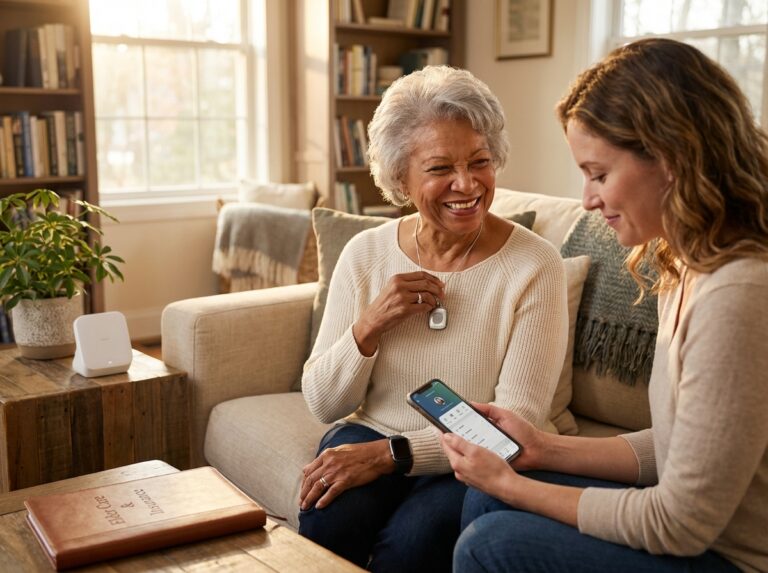
The decision to introduce a medical alert system often carries emotional weight. For caregivers, these devices significantly reduce the constant anxiety of “what if” scenarios. For the older adult, a PERS device can actually increase independence by providing the confidence to continue daily activities like gardening or walking the dog. However, many seniors resist wearing a device. They might feel it carries a stigma of frailty or they may feel overwhelmed by technology.
To introduce the device successfully, focus on the benefits for the family. Frame it as a tool that helps you worry less rather than a sign that they are losing their abilities. Choosing a device that looks like a modern smartwatch or a piece of jewelry can help bypass the “medical” look that many avoid. Show your parent several different styles of devices and let them pick the one they find most comfortable. It is also helpful to involve the senior in the selection process so they feel a sense of control over their own home safety.
Setting Realistic Outcomes and Expectations
It is important to understand what these systems can and cannot do. A medical alert system provides a faster response time and valuable data for caregivers, such as when an alert was triggered and how long the response took. It offers a reliable way to communicate during a crisis. However, it is not a substitute for hands-on care. It cannot prevent a fall from happening, nor can it provide clinical treatment or wound care. It is a communication and monitoring tool that works best when integrated into a broader plan that includes regular check-ins and medical appointments.
Local Resources for Coordination
Families do not have to navigate these choices alone. Local Area Agencies on Aging (AAA) are excellent resources for advice on aging in place and may even have information on local subsidies. The Eldercare Locator is a national service that helps families find local support. For veterans, speaking with a veterans service officer can reveal benefits that might help cover the costs of these systems. These professionals can help coordinate the medical alert system with other state or federal benefits, ensuring the family care plan is financially sustainable.
6-Item Priorities Checklist Before Shopping
1. Confirm if the senior needs protection only at home or while out in the community.
2. Decide if automatic fall detection is a non-negotiable safety requirement.
3. Test the cellular signal strength in the areas where the parent spends the most time.
4. Determine a comfortable monthly budget for ongoing monitoring fees.
5. Identify at least three reliable people to serve as emergency contacts.
6. Choose a wearable style, such as a wristband or pendant, that the senior will actually wear.
How to compare features, providers, and total costs
Choosing the right medical alert system requires looking past the glossy brochures. You need to understand how these devices connect to help and what they really cost over a full year. The U.S. Medical Alert Systems Market 2025 Demand Expansion shows that more families are choosing mobile options now. But the best choice depends on your parent’s daily habits and your local cellular coverage.
System Types and Connectivity
Landline Systems
These units connect to a traditional home phone jack. They are very reliable for parents who stay inside. The range is limited to the house and perhaps the immediate yard. They do not work if the phone line is cut or if the power goes out for a long time.
Cellular Home Systems
These look like landline units but use a built-in SIM card. They are great for homes without a landline. You do not need a separate cell phone plan for these; the provider includes the cellular service in your monthly fee.
Mobile GPS Units
These small devices work anywhere with a cell signal. They are perfect for parents who still drive or walk the dog. They include GPS tracking so help can find them in a park or a parking lot. Battery life is shorter on these; they usually need a charge every few days. Action Step: Test the mobile unit in the specific areas where your parent usually walks to see how well the signal holds up.
Smartwatch and Wearable Solutions
Many seniors prefer a watch because it looks less like a medical device. These often include step counting and heart rate monitoring. But the screens can be small and might be hard for someone with arthritis to use. Battery life is often the shortest here, with some needing daily charging.
Monitoring and Reliability Standards
Professional monitoring is the most common choice for families. A 24/7 center answers the call when the button is pushed. You should check if the center is UL listed, which means they meet strict safety and backup power requirements. Another gold standard is the CSAA Five Diamond certification, indicating the operators receive high-level training. Some systems allow self-monitoring, which sends an alert to your phone instead of a pro center. While this saves money, it puts immense pressure on you to be available every second. If you miss the text, your parent might not get help. Sit down with your family to decide if someone can truly be on call twenty-four hours a day before you skip professional monitoring.
Two-way voice is a vital feature. It lets your parent talk directly to the operator through the pendant or base station. This helps the operator decide if they should call an ambulance or just a neighbor. Provide the monitoring center with a list of your parent’s medications and any gate codes so emergency workers can help faster.
Fall Detection Technology
Automatic fall detection uses sensors called accelerometers. They look for a sudden drop followed by a period of no movement. This is helpful if a parent is knocked unconscious, but it is not 100% accurate. It can miss slow slides out of a chair and might trigger if a parent drops the device on a hard floor. You should tell your parent to always push the button if they can; do not rely only on the sensors. Ask the provider for specific instructions on how to wear the device, as the sensor must be positioned correctly to work. You can often adjust the sensitivity through the provider.
Contracts and Total Costs
The monthly fee is only one part of the price. Most basic plans start around $19.95. Advanced mobile plans can go up to $59.95 per month. You need to ask about up-front equipment fees. Some companies give you the hardware for free, while others charge $300 or more. Look for hidden costs like activation fees or shipping. Some providers charge a fee to move the service if your parent moves to a new house. Always ask about the cancellation policy. You want a company that offers a 30-day trial period. Avoid long-term contracts that lock you in for years. The best providers let you pay month-to-month and cancel at any time without a penalty. Action Step: Request a written quote that shows the total cost for the first twelve months of service including all one-time fees.
Vendor Comparison Checklist
| Feature to Check | Why It Matters |
|---|---|
| UL Listing | Ensures the monitoring center is reliable. |
| Battery Backup | Keeps the system running during power outages. |
| Waterproof Rating | The device must be safe for the shower. |
| GPS Accuracy | Helps EMS find a parent who is wandering. |
| Trial Period | Gives you time to test the range at home. |
12 Questions to Ask Every Provider
- Where is your monitoring center located?
- Are your operators trained in senior care or CPR?
- What is your average response time for a call?
- Does the monthly fee include the cellular service?
- Is there a charge for false alarms?
- How do you handle EMS dispatch if you cannot hear the user?
- What is the exact range of the home base station?
- Is the fall detection included or is it an extra fee?
- Can I see the event logs through a caregiver app?
- What happens if the equipment breaks?
- Do you offer a money-back guarantee?
- Are there any restocking fees if I return the device?
Maintenance and Testing Plan
You must test the system every week. Have your parent press the button and wait for the operator. Tell the operator it is just a test. This ensures the speaker and the connection are working. Set a recurring reminder on your phone to call your parent every Sunday and ask them to do a test push. Practice a fake alarm with your parent so they know exactly how to tell the operator that they are safe.
Check the battery levels on mobile units every day. Most apps will send you a low-battery alert. Keep your emergency contact list current. If a neighbor moves away, remove them from the list immediately. Make sure the monitoring center has the correct door code or key location for your parent’s home. This prevents the fire department from breaking down the door during a non-emergency. Data privacy is also a factor. Ask the provider if they are HIPAA compliant. Ask the sales agent if the company sells any of your parent’s location or usage data to third-party businesses. Checking the Better Business Bureau record is a smart move. Look for patterns of billing complaints, which is often a sign of a company that is hard to leave.
Paying for systems and coordinating with long-term care services
Medicare coverage is a common point of confusion for many families. Most people assume that because a medical alert system saves lives, the government will pay for it. The reality is that traditional Medicare Part A and Part B do not cover these devices. They categorize them as personal safety items rather than durable medical equipment. This means you will likely pay the medical alert system cost out of pocket if you only have basic Medicare. You should always check the official Medicare website for the most recent updates. Call the member services number on the back of your parent’s insurance card to ask for a copy of the supplemental benefits guide, as sometimes local programs or pilot projects offer small exceptions.
Medicaid options and state variation
Medicaid PERS coverage is much more promising but depends entirely on where you live. Every state runs its own program. Many states offer Home and Community-Based Services (HCBS) waivers. These programs aim to keep seniors in their homes instead of moving them to nursing facilities. Because medical alert systems help achieve this goal, many waivers will cover the monthly fees. You should contact your local Area Agency on Aging to ask which specific Medicaid waivers in your state cover personal emergency response systems. You will usually need to show that the device is a medical necessity. This often requires a doctor’s note or a formal assessment of your parent’s health. Documentation of a history of falls can also help your case. The U.S. market for these systems has grown to nearly $2.89 billion in 2025, partly because of these state-supported programs.
Veterans benefits and support
Veterans have access to specific resources that can help. The VA Aid and Attendance benefit is a monthly payment added to a veteran pension. It is designed for those who need help with daily living activities. This extra income can be used to pay for medical alert services. There is also the Housebound pension for those who are permanently disabled. You should reach out to a Veterans Service Organization or a VA accredited representative. They can help you determine if your parent is eligible. They can also help you figure out if the cost of the device can be claimed as an unreimbursed medical expense. The VA sometimes provides the hardware directly through their own prosthetic and sensory aids service. You should ask your VA primary care provider for a referral to see if they can issue a device at no cost.
Long-term care insurance and private pay
Long-term care insurance is another path to explore. Some older policies do not mention technology. Newer policies often include provisions for home safety equipment. You should review the specific policy language with an insurance agent. Look for terms like home modification or assistive technology. Some companies will pay for a system if it delays the need for professional home care. You will likely need to submit a claim with a receipt and a medical justification. If you are paying privately, remember that mobile units often hold the largest portion of the market now. You can see how these costs break down in the Medical Alert Statistics 2025 report. Private pay allows for the most flexibility in choosing features like advanced fall detection.
Family Cost Sharing
When external funding isn’t available, families often find it easiest to have one person manage the billing account while everyone else contributes to the cost. You can set up an automatic payment from a shared account or have siblings take turns paying for the annual service. Most companies allow you to list multiple people as emergency contacts regardless of who is paying the bill. Create a simple agreement with your siblings about how the monthly fee will be split and who will handle the renewals to ensure the service never lapses.
Other funding sources and tax benefits
Medicare Advantage plans have changed the landscape recently. Many private insurers now offer supplemental benefits that include safety devices. As of late 2025, more plans are including these as standard features to prevent expensive hospital stays. You should check the 2026 plan offerings during open enrollment. PACE programs are another option. These programs provide all-inclusive care for the elderly and often cover technology. You can also use a Flexible Spending Account (FSA) or a Health Savings Account (HSA). You will need a prescription from a doctor to prove the device is for a specific medical condition. Some families even find tax deductions for these costs. If you itemize your deductions, medical equipment might count if it exceeds a certain percentage of your income. A tax advisor can give you the exact rules for the current year. Local nonprofits and community grants sometimes provide low-cost loaner devices for seniors with limited income.
Coordination with home care and nursing homes
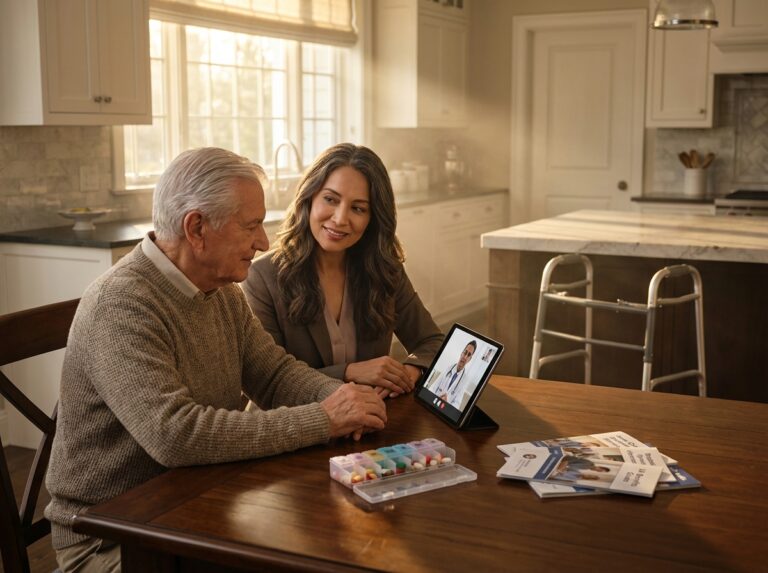
Integrating a device into a larger care plan requires clear communication. You must share the emergency protocols with every caregiver. This includes home health aides and respite workers. They need to know how to respond if the alarm goes off. They should also know the code to the lockbox if EMS is called. If your parent moves to an assisted living facility, ask about their rules. Some facilities provide their own monitoring. Others allow you to keep your mobile device. Portability is a major factor if your parent travels or moves between homes. You should ensure the device works in the new location before the move is complete. Case managers and nursing home admission teams should be informed that a personal device is in use to avoid confusion during an emergency.
Practical steps to obtain funding
Documentation Checklist
To get funding, you need to be organized. Start by getting a written note from a primary care doctor. This note should explain why the system is necessary for safety. Collect any reports from past falls or medical emergencies. These documents prove the risk is real. Keep a folder with vendor quotes and technical specs. When you call an agency, have your parent’s insurance or VA ID number ready. You should contact the state Medicaid office or the VA County Office directly to start the process. Keep copies of every form you submit. Follow up every two weeks until you get a decision.
Benefits inquiry template
You can use this script when calling or emailing an insurance provider or a government office. It helps you get the right information quickly.
To Whom It May Concern

I am writing to ask about coverage for a personal emergency response system for my parent [Name].

Does the current plan cover the equipment or the monthly monitoring fees?

We are specifically looking at a device with automatic fall detection.

Please let me know what documentation or medical forms are required to start a claim.

Thank you for your help.
Conclusions and practical next steps for families
Choosing the right support for an aging parent is a significant responsibility that requires a methodical approach. You have already looked at the technical details and the financial options surrounding these devices. Now you must bring all that information together to make a final choice. The process starts with a deep assessment of your parent’s daily life. You need to know if they spend most of their time in the garden, if they still drive, or if they mostly stay in one room. This determines if you need a mobile system with GPS or a simple landline base station. Once you identify the type of device, use a checklist to compare specific models. Look for high waterproof ratings for the shower. Check the battery life for mobile units. Verify that the monitoring center holds a CSAA Five Diamond or UL listing. These certifications mean the operators meet high professional standards. You should always test a unit in the actual home during a trial period. This confirms the signal reaches every corner of the house. Finally, explore every funding route. While original Medicare rarely covers these costs, many Medicare Advantage plans in 2025 include them as supplemental benefits.
A Seven Step Action Plan for Families
1. Perform a Comprehensive Needs Checklist
Sit down with your parent to document their daily routine. Note every area of the home where they spend time. Identify specific risks like steep stairs or slippery bathroom tiles. Determine if they need a wearable that works outside the house. This list serves as your primary guide when talking to sales representatives.
2. Contact Your Local Area Agency on Aging
These agencies provide free guidance on local resources. They can tell you about state-specific programs or grants that help pay for elder care technology. Ask them about Medicaid waivers if your parent meets the income requirements. They often have insights into which providers have the best reputation in your specific region.
3. Request Three Detailed Quotes
Never settle for the first provider you find. Contact three different companies to compare their total costs. Ask for a breakdown of equipment fees, monthly monitoring, and any hidden charges like activation or shipping. Having multiple quotes gives you leverage to ask for better terms or discounts.
4. Verify Monitoring Center Credentials
Ask every provider where their monitoring center is located. Confirm they use U.S.-based operators who understand local emergency protocols. Request proof of their UL listing or Five Diamond certification. These credentials ensure the center has backup power and enough staff to answer calls quickly during a crisis.
5. Gather Documentation for Benefits
Collect a letter of medical necessity from your parent’s primary doctor. Keep copies of recent fall reports or hospital discharge papers. You will need these documents to apply for VA Aid and Attendance or to seek reimbursement from a Long-Term Care insurance policy. Having a digital folder ready saves time during the application process.
6. Trial a Unit for Thirty Days
Only sign a contract with a company that offers a risk-free trial period. Once the device arrives, test it in the basement, the garage, and the yard. Make sure the two-way voice is clear. If the signal is weak or the pendant is uncomfortable, return it before the trial ends to avoid long-term commitments.
7. Create an Emergency Sheet and Quick Start Guide
Write down simple instructions on how to use the button. Place this sheet near the base station or on the refrigerator. Include the phone number for the monitoring center so caregivers can recognize the caller ID. This ensures that everyone in the support network knows exactly what to do when an alert happens.
Emergency Plan Template for Caregivers
PRIMARY CONTACT: Name and Phone Number
BACKUP CONTACT: Name and Phone Number
PRIMARY PHYSICIAN: Doctor Name and Office Phone
MEDICATION SUMMARY: List all daily meds and dosages
ALLERGIES: List all known drug or food allergies
DEVICE INFO: Provider Name, Account Number, and Support Phone
PREFERRED HOSPITAL: Name and Address of Choice
ENTRY INSTRUCTIONS: Hidden key location or door code for EMS
Deciding on a system requires a balance between cost and reliability. It is tempting to choose the cheapest monthly plan, but you must consider the quality of the response. A cheaper service might have longer wait times or less trained operators. Think of this as an investment in safety. You should consider upgrading the system if your parent’s health changes. If they start showing signs of memory loss, a device with GPS and geofencing becomes necessary. If their balance worsens, adding automatic fall detection is a smart move. The U.S. Medical Alert Systems Market 2025 Demand Expansion shows that more families are choosing multi-feature wearables to stay ahead of these risks. To make the transition easier, involve your parent in the decision. Let them choose the color or the style of the wearable. When they feel part of the process, they are much more likely to wear the device every day. This increases their confidence and gives you peace of mind.
For further assistance, consult trusted national and local resources. The official Medicare.gov website provides the latest updates on plan coverage. The VA benefits office can help veterans navigate the Aid and Attendance application. If you are dealing with a complex financial situation or a large estate, it is wise to consult an elder law attorney or a certified benefits counselor. These professionals can help you protect assets while ensuring your parent gets the support they need. Your local Area Agency on Aging remains the best starting point for personalized, face-to-face advice. Using a medical alert system buyer guide helps you stay organized, but these experts provide the human touch needed for difficult transitions. Taking these steps now ensures that your parent can age in place with dignity and safety. You are doing the hard work of how to choose medical alert services that truly fit your family’s unique needs.
Sources
- U.S. Medical Alert Systems Market 2025 Demand Expansion — The U.S. medical alert systems market size is anticipated to grow from USD 2.89 billion in 2025 to USD 7.76 billion by 2034, achieving a CAGR of 11.6%.
- Medical Alert Systems Market Worth $9.6 Billion by 2025 — "Wired medical alert systems are expected to hold the largest market share from 2020 to 2025." The wired or in-home medical alert devices held …
- Medical Alert Systems Market Size to Surge USD 26.27 Billion by 2034 — The Medical Alert Systems Market is projected to grow from USD 10.27 billion in 2025 to USD 26.27 billion by 2034, at a CAGR of 11.01%.
- Medical Alert Systems Market Size Share & Growth | Report 2035 — The Medical Alert Systems industry is projected to grow from 8.56 USD Billion in 2025 to 15.21 USD Billion by 2035, exhibiting a compound annual growth rate ( …
- Medical Alert Systems Market Outlook 2025-2032 — Global Medical Alert Systems market was valued at USD 8015 million in 2025 and is projected to reach USD 13760 million by 2032, …
- Medical Alert System/Personal Emergency Response System Market — The medical alert system/personal emergency response system market reached a market size of USD 10.20 billion in 2025 and is projected to expand …
- Medical Alert Statistics 2025 | ConsumerAffairs® — That figure is expected to increase to $4.6 billion by 2025, a growth of more than 12%. Mobile PERS hold the largest portion of the market, at …
EMPTY