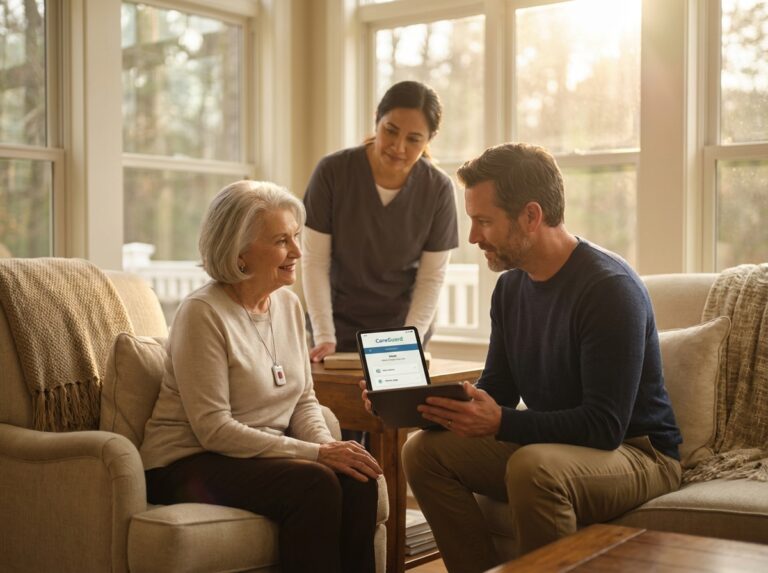
As U.S. families navigate care choices for aging parents in 2025, smart home technology can enhance safety, independence, and caregiver peace of mind. This guide explains essential devices, how to pair tech with home care, respite, and nursing services, and where to look for financial assistance so families can make practical, cost-aware decisions tailored to clinical and daily needs.
Essential smart home devices for safety and independence
The landscape of elder care is changing rapidly. With the U.S. population over 65 expected to reach 73 million by 2030, a significant caregiver shortage, and the continued growth of telehealth, technology is no longer a luxury but a necessity for aging in place. Thankfully, smart home devices have become more affordable and user-friendly, offering practical solutions that enhance safety and independence. These tools provide a crucial support layer, giving families peace of mind while empowering parents to live comfortably in their own homes for longer.
Fall Detection and Personal Emergency Response Systems (PERS)
According to the CDC, falls are the leading cause of injury-related death for older adults, making fall detection technology a top priority. Modern PERS devices have evolved far beyond simple pendants.
- How They Work
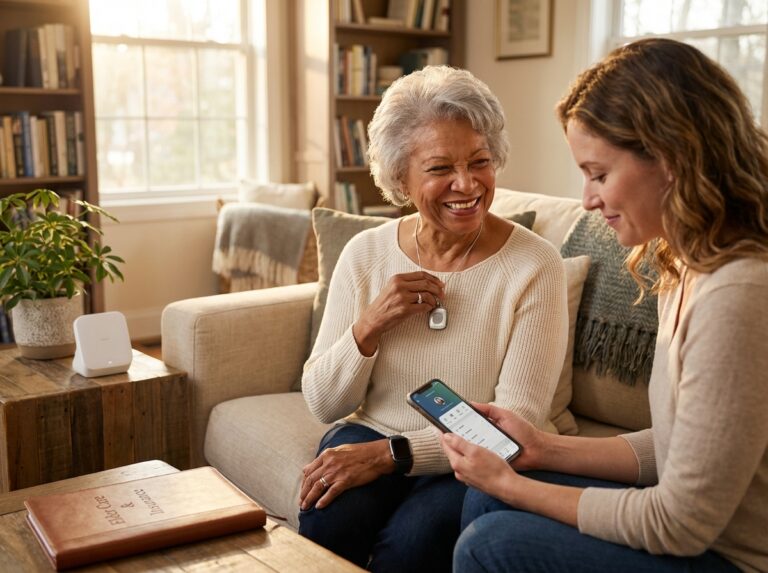
These systems use a combination of accelerometers and gyroscopes to detect sudden changes in movement and impact. They come in several forms. Wearable devices like smartwatches (Apple Watch Series 10) or discreet pendants (Lively Mobile2) are common. In-home wall pendants can be placed in high-risk areas like bathrooms. The key difference is between user-initiated alerts, where the person must press a button, and automatic fall detection, which uses algorithms to sense a fall and call for help even if the person is unconscious. Automatic detection provides a significantly faster response time on average. - Use Cases
The primary use is summoning help after a fall. A parent who falls while alone can be connected to a 24/7 monitoring center, which can dispatch emergency services and notify family members. - Pros and Cons
The biggest pro is immediate access to help. Automatic detection is a lifesaver for falls that cause a loss of consciousness. Cons include the potential for false alarms, though machine learning has reduced these rates to below 5% in many 2025 models. To minimize false alarms, ensure the device is worn exactly as the manufacturer recommends (e.g., at the correct height on the chest, not loose in a pocket) and check if the sensitivity level can be adjusted in the companion app. Battery life is another consideration. A smartwatch may need daily charging, while a dedicated pendant can last up to 30 days. - Costs and Installation
Expect a one-time device cost of $50 to $400. Monthly monitoring fees typically range from $25 to $50. Look for devices with dual-path (Wi-Fi and cellular) connectivity for the highest reliability, ensuring the device works even during an internet outage.
Passive In-Home Sensors and Ambient Monitoring
For a less intrusive approach, passive sensors can monitor daily routines to detect anomalies without cameras. This technology focuses on “pattern-of-life” monitoring.
- How They Work
Small, battery-powered sensors are placed on doors, windows, cabinets, and furniture. Motion sensors track movement between rooms. Bed and chair occupancy sensors or pressure mats can tell you if a parent got out of bed at night and didn’t return. When combined, these sensors create a digital picture of daily activity. An integrated system can learn that your mother usually opens the medicine cabinet around 8 AM. If she doesn’t, it can send a gentle reminder or a caregiver alert. - Use Cases
This is ideal for detecting wandering, especially for individuals with cognitive decline. A rule can be set to send an alert if the front door opens between 10 PM and 6 AM. It also helps identify subtle changes that may signal a health issue, like increased nighttime bathroom trips or less time spent out of bed. - Pros and Cons
The main advantage is privacy. With no cameras or microphones, these systems feel less like surveillance, leading to higher acceptance among older adults. They provide valuable insights without requiring the parent to wear a device. The primary con is the potential for misinterpretation without context, though modern platforms use machine learning to reduce false alarms. - Costs and Installation
Individual sensors are affordable, costing $20 to $50 each. A starter kit for a small apartment might cost $200 to $400. Installation is typically a simple peel-and-stick process.
Medication Management Systems
Medication nonadherence is a major cause of hospital readmissions. Smart dispensers help ensure the right dose is taken at the right time.
- How They Work
These devices range from simple reminder apps to sophisticated automated dispensers. Advanced models like the Hero or MedMinder lock medications inside and dispense only the correct pills at the scheduled time. If a dose is missed, the device can flash, beep, and send notifications to caregivers’ phones. Many can be synchronized with a pharmacy for automatic refills. - Use Cases
They are essential for parents with complex medication schedules (5+ daily medications) or mild cognitive impairment. They reduce the risk of accidental overdose or missed doses, which studies show can improve adherence significantly. - Pros and Cons
The key benefit is improved health outcomes and reduced stress for caregivers. The main drawbacks are cost and maintenance. Most automated dispensers require a monthly subscription ($30 to $40) on top of an initial device fee (around $100) and need to be refilled correctly. - Costs and Installation
Setup involves loading the pills and programming the schedule via a smartphone app, which can be done by a family member.
Smart Locks, Doorbell Cameras, and Access Management
Managing access for caregivers, health aides, and family can be complicated. Smart access technology simplifies it.
- How They Work
A smart lock like the August Wi-Fi Smart Lock ($229) replaces the standard deadbolt and allows doors to be locked or unlocked remotely via a smartphone app. You can grant permanent access to family, scheduled access for a home health aide (e.g., Mon-Fri, 9 AM to 1 PM), or temporary one-time codes for deliveries. A video doorbell like the Ring Video Doorbell Elite ($349) lets your parent see and speak to visitors without opening the door. - Use Cases
This technology allows caregivers to enter without needing a physical key, which can easily be lost. It provides an audit trail of who entered and when. For parents with mobility issues, it eliminates the need to rush to the door. - Pros and Cons
Convenience and security are the main pros. The biggest con is reliance on power and Wi-Fi. It is critical to choose a model with a physical key fallback for outages. - Costs and Installation
Smart locks range from $150 to $300, and video doorbells from $100 to $350. Installation is a straightforward DIY project for most, but professional installation is also an option.
Smart Lighting and Automated Fall-Prevention Illumination
Poor lighting is a major contributor to nighttime falls. Smart lighting provides an automated solution.
- How They Work
Motion-activated night lights can be placed in hallways, bedrooms, and bathrooms. They turn on automatically when movement is detected, illuminating a safe path. More advanced systems like Philips Hue allow for tunable lighting, which can be programmed to emit calming, amber-toned light at night and bright, blue-toned light in the morning to support a healthy circadian rhythm. - Use Cases
The primary goal is fall prevention. A parent getting up at night to use the restroom is automatically guided by light, reducing the risk of tripping in the dark. These systems can also be integrated with other rules; for example, if a fall is detected, all the lights in the house can turn on to full brightness to help first responders. - Pros and Cons
This is a low-cost, high-impact safety feature. There are few cons, though setup can require some familiarity with smart home apps. - Costs and Installation
A set of three motion-activated plug-in lights costs around $30. Smart bulbs cost $15 to $50 each.
Environmental Monitoring and HVAC Controls
These devices ensure the home environment is safe and comfortable, alerting you to potential dangers like leaks or extreme temperatures.
- How They Work
Smart thermostats like the Ecobee Smart Thermostat Premium ($249) can be controlled remotely and programmed to send alerts if the home’s temperature becomes dangerously high or low. Smart smoke and carbon monoxide detectors (Nest Protect, $119) test themselves automatically and send alerts to your phone. Water leak sensors can be placed near sinks or water heaters to detect moisture and, when paired with an automatic shutoff valve, can prevent a catastrophic flood. - Use Cases
These are vital for parents who may be less sensitive to temperature changes or who might not hear a traditional smoke alarm. Remote alerts allow a caregiver to intervene before a situation becomes critical. - Pros and Cons
They provide 24/7 monitoring for environmental hazards. The initial cost can be a barrier, but the potential savings from preventing a single incident are significant. - Costs and Installation
Costs range from $30 for a leak sensor to $250 for a premium smart thermostat. Installation is usually straightforward for a handy person.
Telehealth and Video Communication Hardware
With telehealth now a standard part of healthcare, having the right equipment is essential for remote consultations and monitoring.
- How They Work
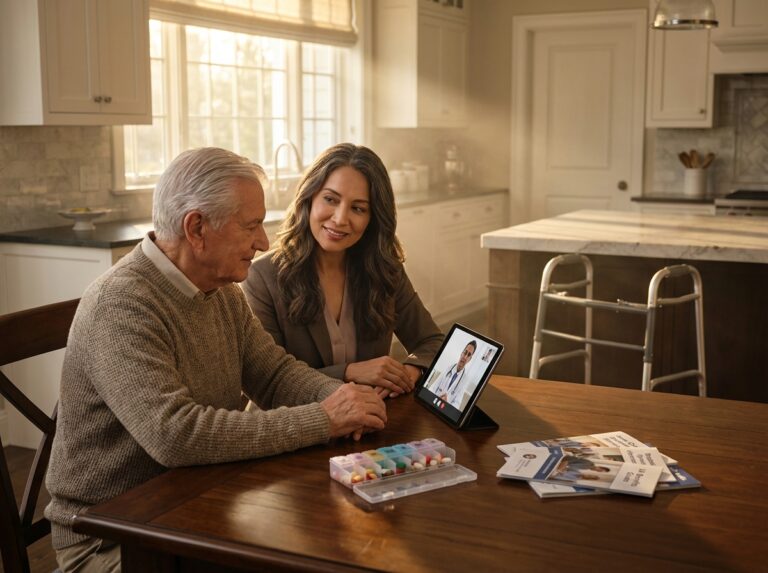
While a standard tablet works, devices designed for seniors like the GrandPad (around $80/month subscription) offer a simplified interface with large buttons for video calls, photos, and games, eliminating the confusion of a typical operating system. For remote patient monitoring, Bluetooth-enabled peripherals like blood pressure cuffs, pulse oximeters, and scales can automatically sync vitals with a health app or directly to a provider’s portal. - Use Cases
These tools facilitate virtual doctor visits, follow-up care after a hospital stay, and chronic disease management. They also combat social isolation by making video calls with family simple and accessible. - Pros and Cons
They improve access to care and reduce the need for travel. A reliable internet connection is non-negotiable; the FCC now defines the benchmark for broadband as 100 Mbps download speed for effective telehealth. A cellular backup router ($150) is a wise investment. - Costs and Installation
A senior-friendly tablet can be subscription-based or a one-time purchase ($300+). FDA-cleared vitals peripherals cost $40 to $100 each.
Medication and Health Reminders via Voice Assistants
Voice assistants like Amazon Alexa and Google Assistant can be powerful tools for reminders and hands-free control.
- How They Work
You can set up verbal reminders for medications, appointments, or even to drink water. When integrated with other smart devices, a parent can say, “Alexa, turn on the bedroom light,” without needing to get up. - Use Cases
They are excellent for parents with vision or mobility impairments. Amazon’s Care Hub feature allows a designated family member to see a high-level activity feed and be notified if their parent calls for help. - Pros and Cons
The hands-free interface is incredibly intuitive. However, privacy is a major concern for some, as these devices are always listening for a wake word. For telehealth integrations, ensure the platform is HIPAA-compliant. - Costs and Installation
A basic smart speaker costs as little as $40. Setup is done through a smartphone app.
Professional-Grade Integrated Systems vs. DIY Ecosystems
You can build a smart home piece by piece or invest in a professionally installed, fully integrated system.
- How They Work
A DIY approach involves buying individual devices (from brands like Ring, Wyze, Aqara) and connecting them yourself, often using a unifying standard like Matter to ensure they work together. A professional system (from companies like Vivint or ADT Health) involves a consultation, professional installation, and often a higher monthly monitoring fee that covers the entire system. - Use Cases
DIY is great for tech-savvy families who want to start small and customize their setup. Professional systems are better for those who want a turnkey solution with comprehensive support and guaranteed interoperability. - Pros and Cons
DIY is cheaper and more flexible but can lead to compatibility headaches and requires you to be your own tech support. Professional systems are reliable and easy but more expensive and can result in vendor lock-in. The rise of the Matter standard in 2025 has made DIY systems much more reliable and easier to integrate. - Costs and Installation
A DIY starter kit can be under $200. A professional installation can cost $500 or more upfront, plus monthly fees of $40 to $60.
Practical Checklist for Purchasing and Testing
Before committing to a full system, it’s wise to start with a pilot program. Here’s what to consider.
- Trial Periods and Warranty
Look for vendors offering at least a 30-day trial or return period. Check for a minimum one-year warranty on hardware. Be wary of long-term contracts with heavy penalties for early cancellation. - Caregiver Training and Support
Ensure the system is easy for all caregivers to use. Does the company offer good customer support via phone? - Battery and Cellular Backup
For critical safety devices like PERS and security systems, non-negotiable features include a battery backup for power outages and a cellular backup for internet outages. - Data and Privacy
Read the privacy policy. Who owns the data? Can you easily export it? Ensure you have the necessary consent from your parent to access their information. - What to Test in a 30-Day Pilot
- Set up one or two high-priority devices, like a PERS pendant and a motion-activated night light.
- Intentionally trigger the devices. Simulate a fall (without actually falling) to test the response time of the monitoring center.
- Test the caregiver app. Is it easy to navigate? Do alerts come through promptly?
- Simulate an outage. Unplug your Wi-Fi router to see if the cellular backup kicks in.
- Get feedback from your parent. Is the wearable comfortable? Is the technology intrusive or helpful?
By starting small and testing thoroughly, you can build a smart home environment that truly supports your parent’s safety and independence.
Integrating technology with home care services and funding options
Smart home technology is a powerful tool, but it’s most effective when it’s part of a larger, well-thought-out care plan. It is crucial to set realistic expectations: this technology is a powerful supplement to human care, not a substitute for it. It acts as a safety net, automating routine tasks and providing alerts that make a caregiver’s job more manageable and effective. It can help a senior remain independent longer and reduce caregiver burnout, but it cannot provide the hands-on help, companionship, or clinical judgment that a person can. The goal is to create a seamless ecosystem where technology, professional services, and family support work together. This process starts not with a shopping list, but with a clear-eyed assessment of your parent’s specific needs.
Assessing Needs First
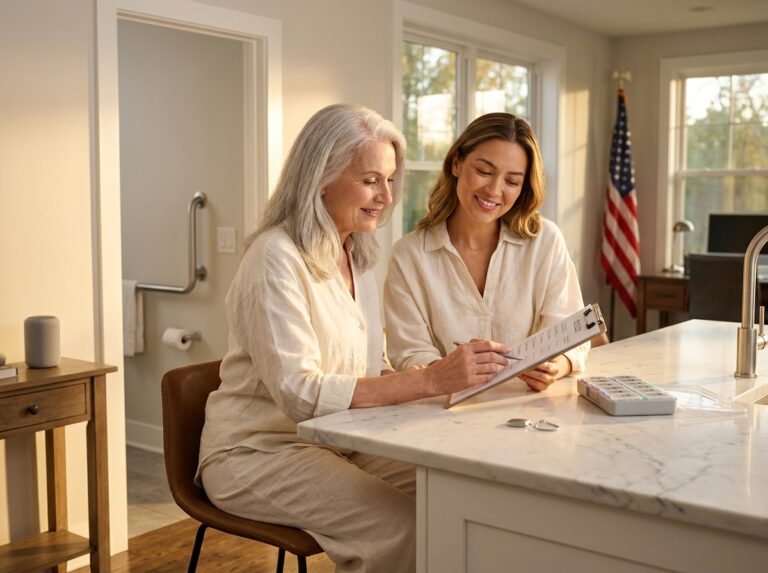
Before buying any device, you need a baseline understanding of your parent’s functional abilities and challenges. A practical assessment helps you target the right solutions. You can start this process yourself, but it’s wise to involve a healthcare professional to validate your findings.
- Functional Assessment: Look at Activities of Daily Living (ADLs) like bathing, dressing, and eating, and Instrumental Activities of Daily Living (IADLs) such as managing finances, cooking, and transportation. The Katz ADL Index is a simple tool you can use. A score below 4 often signals a need for significant support.
- Mobility and Fall Risk: Observe how your parent walks. Do they hold onto furniture? Are they unsteady? The “Timed Up & Go” (TUG) test, where a person stands from a chair, walks 10 feet, turns, and sits back down, is a great indicator. A time over 12 seconds suggests a higher fall risk.
- Cognition: Note any memory lapses, confusion about time or place, or difficulty with multi-step tasks. This is crucial for determining if they can manage complex devices or remember to use a wearable.
- Medication Complexity: Count the number of daily medications. Managing five or more significantly increases the risk of non-adherence, making a smart pill dispenser a high-priority item.
- Social Isolation: Does your parent have regular social contact? Loneliness can impact both mental and physical health. Technology like simplified video call devices can be a lifeline.
For a comprehensive evaluation, consider hiring a geriatric care manager or an RN. They can perform a professional assessment, identify risks you might miss, and create a formal care plan. Your parent’s primary care clinician should always be in the loop, as their medical records provide essential context.
Matching Technology to Assessed Needs
Once you have a clear picture of the challenges, you can map them to specific technology and service combinations. This prevents overspending on features your parent doesn’t need.
| Common Problem | Device Solution | Service Combination |
|---|---|---|
| High Fall Risk | Wearable fall detector, motion-activated night lights, pressure mats by the bed. | Professional monitoring service (PERS), home care aide for bathing assistance, physical therapy. |
| Wandering (Cognitive Decline) | Door/window sensors, GPS tracking wearable or shoe insert. | Respite care to give primary caregiver a break, memory care consultation. |
| Medication Non-Adherence | Automated locking pill dispenser with caregiver alerts. | Home health nurse for initial setup and reconciliation, pharmacy delivery service. |
| Unsafe Temperatures/Environment | Smart thermostat with remote access, smart smoke/CO detectors, water leak sensors. | HVAC maintenance plan, scheduled check-ins from a neighbor or family member. |
| Social Isolation | Simplified video calling tablet (e.g., GrandPad), voice assistant for easy calls. | Enrollment in a local senior center, transportation services for social outings. |
Choosing Home Care and Respite Services with Tech in Mind
When hiring a home care agency, treat it like a partnership. You need to know they are comfortable and competent with the technology you’ve put in place. Ask direct questions:
- What is your agency’s experience with remote monitoring technology?
- Are your caregivers trained to use smart locks and temporary access codes?
- How do you document and respond to alerts from devices like fall detectors or pill dispensers?
- What are your liability policies regarding technology use in a client’s home?
For respite care, where a temporary caregiver steps in, technology is vital for continuity. Ensure the respite aide is logged into the caregiver app and that the professional monitoring service has their contact information. This creates a safety net so an emergency alert isn’t missed during a caregiver transition.
When to Consider a Nursing Home or Assisted Living Transition
Technology can significantly extend the time a person can safely age in place, but it doesn’t eliminate the need for higher levels of care indefinitely. If your parent requires help with three or more ADLs, experiences frequent falls despite interventions, or has advancing dementia that poses a safety risk, it may be time to consider a facility. Technology can ease this transition. The data logs from in-home sensors provide a valuable, objective history of your parent’s sleep patterns, activity levels, and fall incidents. This information can be shared with the admissions team to ensure the new care plan is tailored to their specific needs from day one.
Funding and Payment Pathways Overview
Paying for technology and care is a major concern. Several U.S. programs can help, but navigating them requires patience. Eligibility is complex and varies by state.
- Medicare: Typically does not pay for smart home devices or long-term custodial care (help with ADLs). However, under specific conditions, Medicare Part B may cover “durable medical equipment” (DME) like telehealth monitors for Remote Patient Monitoring (RPM) if prescribed by a doctor as part of a home health plan following a hospital stay. Visit Medicare.gov for details.
- Medicaid: This is the primary payer for long-term services and supports (LTSS) for low-income individuals. Most states offer Home and Community-Based Services (HCBS) waivers, which can fund personal care, home modifications, and technology like personal emergency response systems (PERS) to keep people out of nursing homes. Contact your state’s Medicaid office for eligibility rules.
- PACE (Program of All-Inclusive Care for the Elderly): An option for those who qualify for both Medicare and Medicaid, PACE provides comprehensive medical and social services, often including monitoring technology, to help seniors live at home.
- VA Benefits: Eligible veterans may qualify for Aid and Attendance benefits, which provide a monthly pension to help pay for in-home care and related technology. The VA also offers grants for home safety modifications. See VA.gov for information.
- Long-Term Care Insurance: If your parent has a policy, review it carefully. Many modern policies cover costs for in-home care and may reimburse for technology that reduces care hours or improves safety.
- Local and State Programs: Your local Area Agency on Aging (AAA) is the best starting point. They are a gateway to state and local programs that may offer grants or assistance for technology and respite care. Find yours through the Eldercare Locator at ACL.gov.
Practical Steps to Pursue Assistance
Prepare Documentation:
Start gathering medical records, a formal ADL assessment from a doctor or geriatric care manager, and detailed financial records (income, assets). This paperwork is essential for nearly all applications.
Apply Early:
Medicaid waiver programs often have long waiting lists. It’s better to apply before a crisis hits. The same goes for VA benefits, which can take months to process.
Time Your Insurance Claim:
For long-term care insurance, you typically need to file a claim once your parent meets the policy’s “benefit triggers,” usually the inability to perform two or more ADLs. Contact the insurance company to understand the process before you need the funds.
Cost-Saving Strategies and Financing Options
Phased Rollout:
You don’t need to buy everything at once. Start with the highest-impact item, like a fall detection system, and add other devices over time as needs change or the budget allows.
Look for Grants and Loaner Programs:
Nonprofits like Rebuilding Together and some local AAAs offer grants for home modifications and safety devices. Some senior centers have technology loaner closets where you can try devices before buying.
Check for Tax Benefits:
If you provide more than half of your parent’s support, you may be able to claim them as a dependent. Costs for medical devices and home modifications prescribed by a doctor can sometimes be deducted as medical expenses. Consult a tax professional.
Legal and Privacy Considerations
Durable Power of Attorney:
A durable power of attorney for healthcare is essential. It legally allows a designated person to make healthcare decisions and access medical information, which includes data from health-monitoring devices.
Data Sharing and HIPAA:
When using telehealth services, ensure the vendor is HIPAA-compliant. For other devices, you’ll need to sign consent forms to allow data to be shared with family or home care agencies. Always read the vendor’s privacy policy to understand how your parent’s data is used and protected.
Cybersecurity Basics:
Protect your parent’s accounts with strong, unique passwords and enable two-factor authentication. Ensure that device firmware is kept up-to-date to protect against security vulnerabilities.
A Recommended Implementation Timeline and Stakeholder Plan
A structured approach ensures a smoother rollout.
- Week 1: Assess and Plan. Involve key stakeholders: your parent (first and foremost), siblings, their primary doctor, and a tech-savvy friend or family member. Conduct the needs assessment and create a prioritized list of technology.
- Month 1: Pilot Program. Purchase and install one or two high-priority devices. Set clear goals. For example, “We will test the fall detection pendant and smart pill dispenser for 30 days.”
- Month 2: Evaluate and Train. Review the pilot. Did it work as expected? Were there too many false alarms? Is your parent comfortable with it? Hold a training session with any home care aides.
- Month 3: Scale or Change. Based on the evaluation, either expand the system by adding more devices or switch to a different vendor if the pilot was unsuccessful.
Success isn’t just about the technology working; it’s about achieving better outcomes. Track metrics like a reduction in falls, improved medication adherence, or fewer non-emergency calls to family. This data will help you justify the investment and fine-tune the care plan over time.
Final conclusions and practical next steps
Navigating the integration of technology into your parents’ lives can feel like a huge undertaking, but it is manageable when broken down into clear steps. The most successful outcomes in 2025 are not about creating a futuristic, fully automated home overnight. Instead, they are about thoughtful, incremental changes that blend smart devices with compassionate human care. Remember these core principles: prioritize safety by addressing immediate risks like falls first; view technology as a partner to, not a replacement for, human services; and always verify funding options before you buy. Most importantly, start small. A limited, measurable pilot project will teach you more than months of research ever could.
To help you turn these ideas into action, here is a simple checklist you and your family can work through this month. It’s designed to take you from planning to a functional pilot system without the overwhelm.
- Assess Needs and Goals. Sit down with your parent to honestly evaluate their daily challenges and what you both hope to achieve with technology.
- Prioritize 1-2 Key Devices. Based on your assessment, choose the one or two devices that address the most urgent safety concern, like fall detection or medication reminders.
- Explore Funding and Benefits. Contact your local Area Agency on Aging to get a clear picture of state-specific Medicaid waivers, VA benefits, or grants you might qualify for.
- Pilot a Small-Scale Installation. Install your chosen devices and test them for at least 30 days to see how they work in real life.
- Review, Adapt, and Expand. After the pilot period, discuss what worked and what didn’t, then make adjustments or slowly add more devices as needed.
Once your initial system is in place, maintaining it is key to its long-term success. Technology isn’t a “set it and forget it” solution. A little proactive effort ensures the devices remain reliable and effective as your parents’ needs evolve. Here are a few quick tips for ongoing maintenance.
- Firmware Updates. Most modern devices update automatically to patch security flaws and add features, but it’s wise to open the device’s app quarterly to confirm everything is current.
- Scheduled Battery Checks. Set a recurring monthly reminder on your phone to check or replace batteries in wireless sensors, wearables, and backup power supplies.
- Caregiver Training Refreshers. Whenever a new device is added or a feature is updated, take ten minutes to walk through the changes with family members and any professional caregivers.
- Periodic Reassessments. Formally review your parent’s care plan and technology setup every six months, or immediately following any hospitalization or significant change in their health.
You are not alone in this process. A network of professionals and organizations exists specifically to help families navigate eldercare. Don’t hesitate to reach out to them for personalized advice.
- Your local Area Agency on Aging. This should be your first call. They are the gateway to understanding all available local, state, and federal resources, from meal delivery to technology grants.
- A local Veterans Service Officer. If your parent is a veteran, a VSO can provide expert help in navigating VA benefits like Aid & Attendance, which can fund both in-home care and assistive technology.
- Your State’s Medicaid Office. Call them directly to get the most accurate information on Home and Community-Based Services (HCBS) waivers, which often cover personal emergency response systems and other smart home modifications.
- A Geriatric Care Manager. For complex situations, hiring a geriatric care manager for a comprehensive assessment can be invaluable. They create a holistic care plan that integrates technology, services, and family support.
Finally, as you begin this journey, get into the habit of documenting everything. Keep a simple log of events, observations, and outcomes. Note the dates of falls, medication mix-ups, or wandering incidents before you install the technology. Then, continue logging afterward. Record when a fall detection pendant triggered an alert that prevented a long lie on the floor. Note how a smart pill dispenser improved medication adherence. This data is more than just a personal record; it is powerful evidence. If you ever need to apply for more advanced services or appeal a denied benefits claim, a detailed log showing how technology has measurably improved safety and well-being can make all the difference. Your careful records build a strong case for the necessity of these tools in your parent’s care plan, ensuring they continue to get the support they need to age safely and with dignity at home.
References
- Smart-Home Innovation for Older Adults' Mental Health – CDC — With collaborative efforts, smart-home technologies could become a vital resource for older adults. Smart sensors might detect emerging signs of …
- How the 2025 Senior Tech Boom is Making Aging in Place Easier — 2025 has marked significant advancements in senior technologies that allow older adults to stay safe at home. Here is a closer look at how this …
- Top Home Health Services Trends to Watch in 2025 and 2026 — As seniors increasingly prefer to age in place, the demand for comprehensive and innovative home health services is at an all-time high.
- Enhancing elderly care with smart homes: A comparative study … – NIH — The study reveals that income capacity, health transitions, and age barriers critically determine smart home adoption among older adults. Policy …
- Smart Home Technology for Older Adults – AgeTech Collaborative — According to a study by Smart Home forecast (2021), almost 50% of total US households will be smart home device households by 2025 culminating into a sizable …
- EY Global Consumer Health Study: consumers embrace 'smart … — Seventy-five percent of respondents say they would be likely to take advantage of a “smart home” equipped with sensors and devices to monitor …
- 'Smart home' tech the answer for aging in place, older adults say — Three-fourths of global respondents to the EY Global Consumer Health Survey 2025 said they are open to smart home tech to help them age safely …
- Caregiving in the US 2025 – More tech, but not as much as … — Remote monitoring jumped from 13 percent use in 2020 to 25 percent in 2025. Most state Medicaid programs cover Remote Patient Monitoring.
- Aging-in-Place Is Driving Innovation in Tech and Healthcare — See how the desire to age in place is driving innovation in home care, remote monitoring, and smart home technology, enabling seniors to …
- Key Trends in Home Health Care 2025 — Home health care 2025 is transforming aging with AI, telehealth, and virtual support, making care safer, personalized, and more accessible.
Legal Disclaimers & Brand Notices
General Disclaimer: The content provided in this article is for informational purposes only and is not intended to be a substitute for professional medical advice, diagnosis, or treatment. Always seek the advice of a qualified healthcare provider, such as a physician, geriatric care manager, or registered nurse, with any questions you may have regarding a medical condition, assessment, or care plan. Never disregard professional medical advice or delay in seeking it because of something you have read in this article.
Trademark Acknowledgement: All product names, logos, and brands mentioned in this article are the property of their respective owners. The use of these names, trademarks, and brands is for identification and descriptive purposes only and does not imply endorsement or affiliation.